
It’s 9pm, someone needs a refill, and your website makes them hunt for it.
What’s actually different
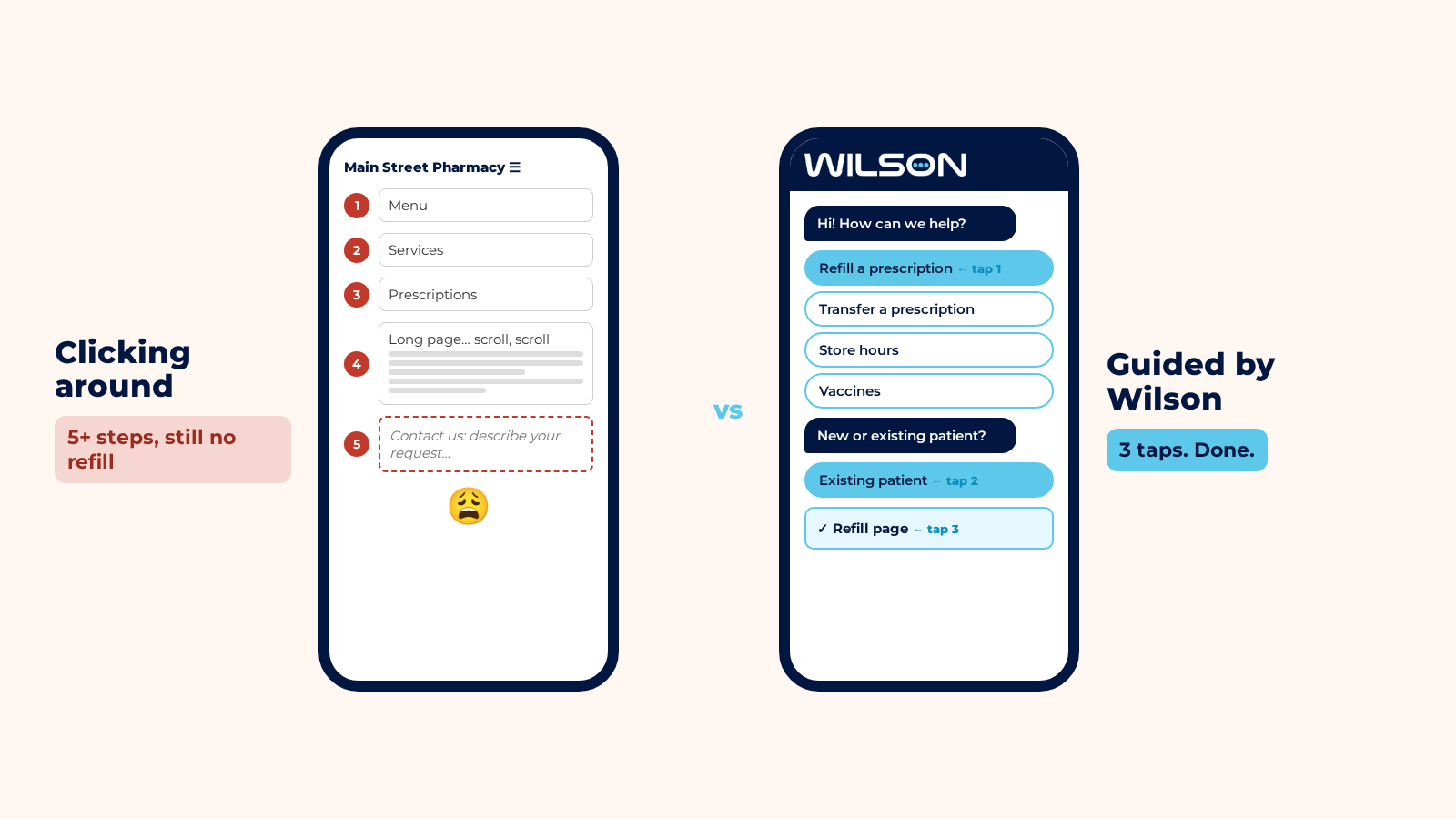
A pharmacy menu is organized the way the pharmacy thinks: Services, Prescriptions, Immunizations, About Us. That makes sense from behind the counter. But a patient doesn’t think “Services.” They think “I need my refill” or “Can I get a flu shot today?”
A guided path is organized the way the patient thinks. It starts with the handful of things people actually come for, like refilling a prescription, transferring a prescription, checking store hours, or booking a vaccine, and asks one simple question at a time until they land on the right page.
That’s the idea behind a conversational navigation tool. It isn’t a chatbot. It doesn’t try to answer every question inside a chat window or rewrite your website in a conversation. It asks a couple of quick questions and then guides the patient to the page that already has the answer: your refill form, your transfer page, your hours, your vaccine scheduler. Your website stays the source of truth, and every option and step is set up and approved by your team ahead of time.
The result feels like a conversation, but it works like navigation. Patients don’t type, they don’t get an off-script answer, and they don’t get stuck in a chat. They just get where they were going.
Curious what that looks like for your store? See how Wilson Engage works for pharmacies.
Why it matters
When patients get to the right page faster, fewer of them give up, call the counter during a rush, or leave a vague form message your staff has to decode.
Conversational navigation is also easy to measure. Because every step is defined, you can see engaged sessions, clicks to high-value pages like refills and vaccine booking, form fills, and exactly where people drop off. That tells you which questions patients really bring to your site, and where a path needs work.
The menu isn’t going anywhere
Your navigation still matters. Some patients know exactly where they’re going and will click straight to it. Conversational navigation simply sits alongside the menu for everyone else: the patient at 9pm who just wants their refill handled without a scavenger hunt.
The patient who clicked around might still find the refill page eventually. The guided one already has.
How Wilson Engage helps pharmacies
Wilson Engage is a conversational navigation tool for your pharmacy website. Instead of a chatbot, it guides patients in a few taps to the pages you already have for refills, transfers, hours and vaccines. Your team sets up and approves every path.